RCOEM/RBU Operations 75 — Chrome Extension
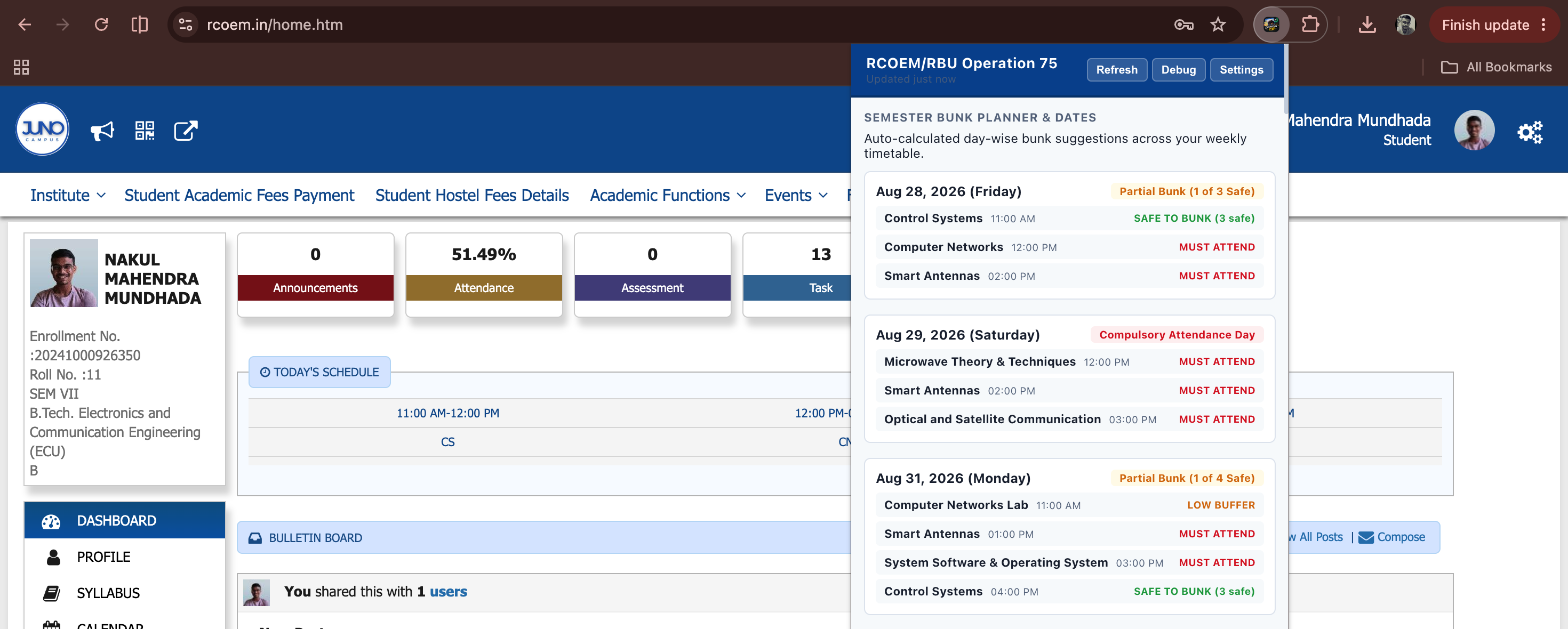
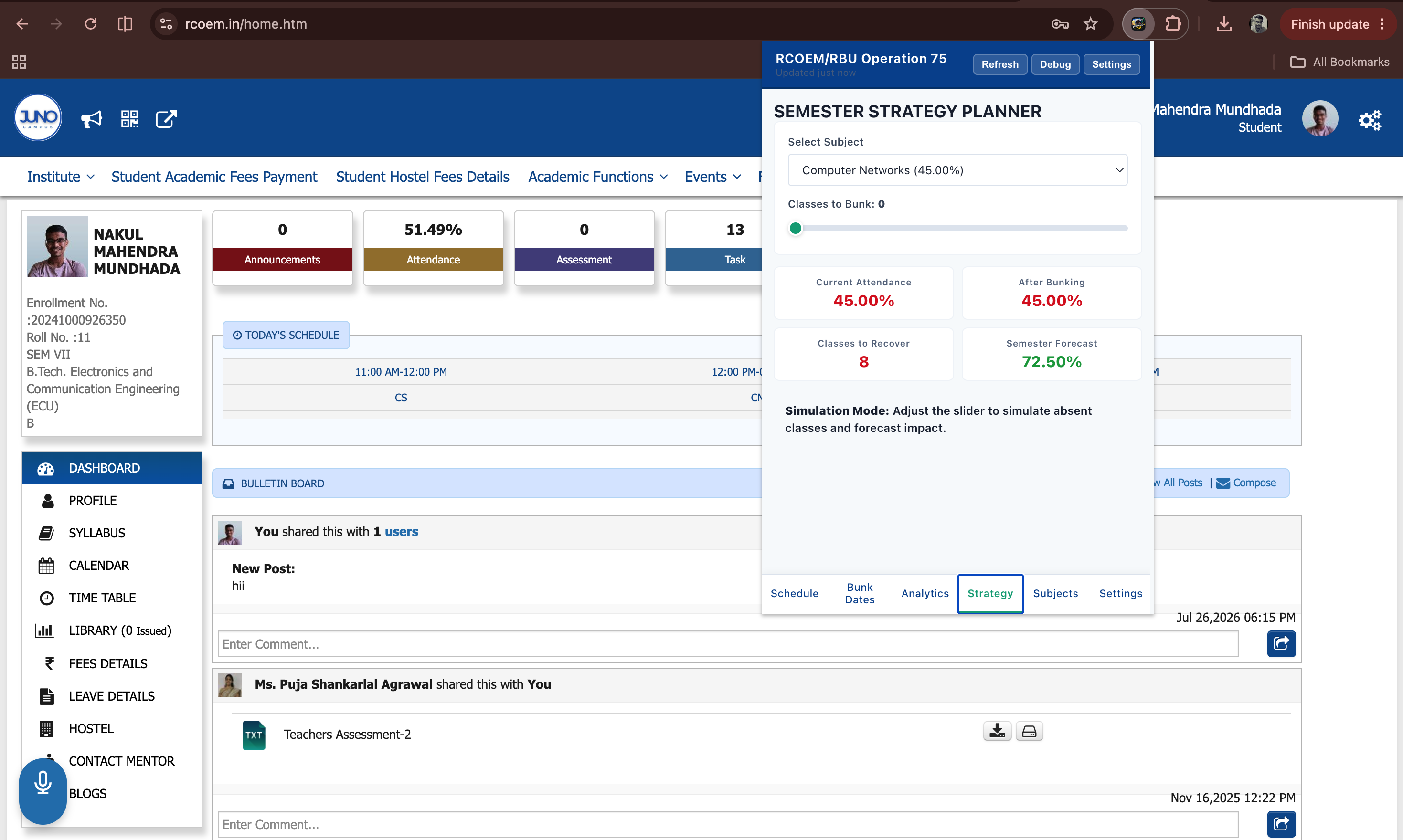
A high-performance Manifest V3 Chrome extension providing real-time attendance analytics, bunk calculators, projection models, and automated warnings for RCOEM/RBU students.
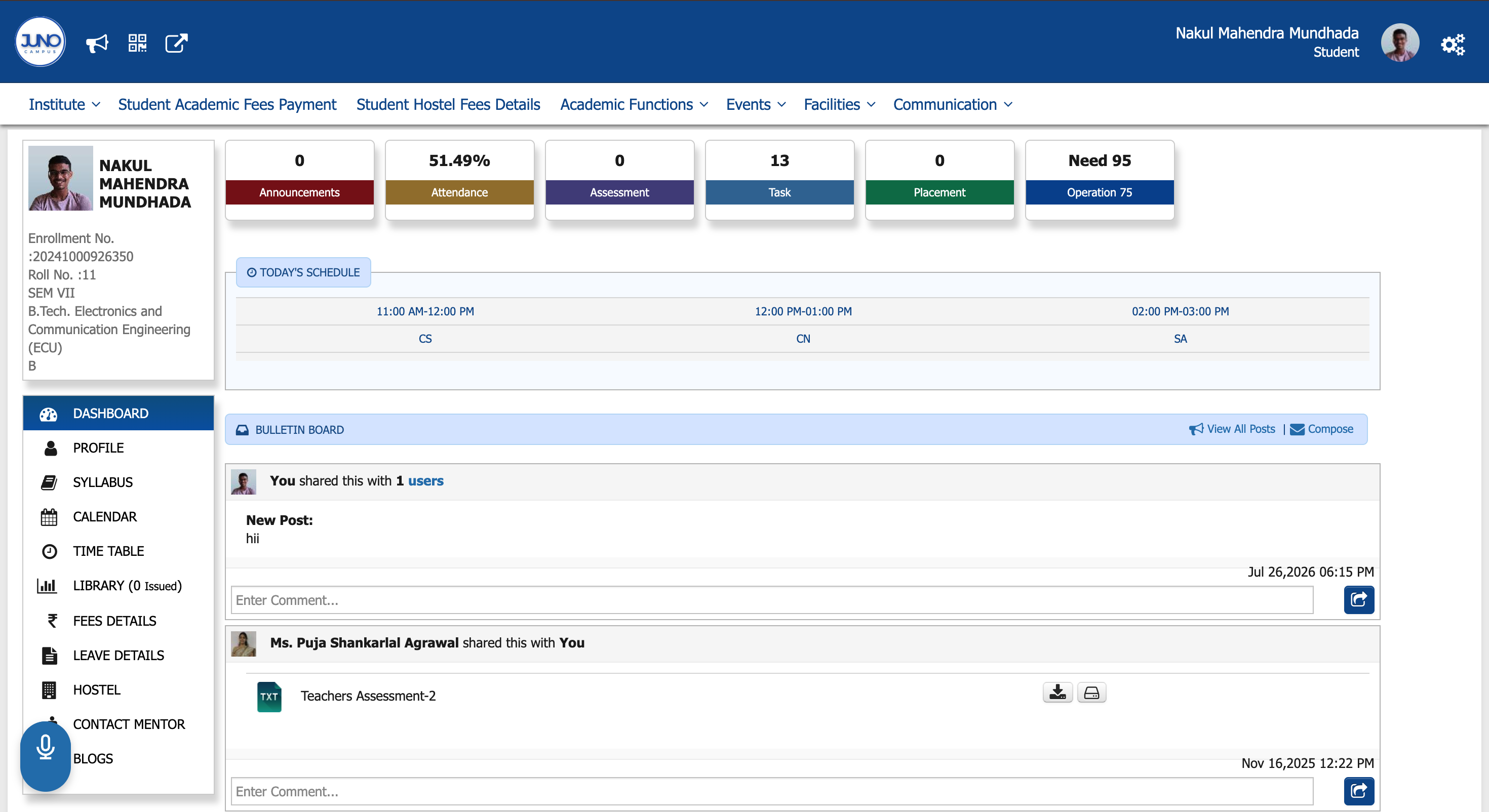
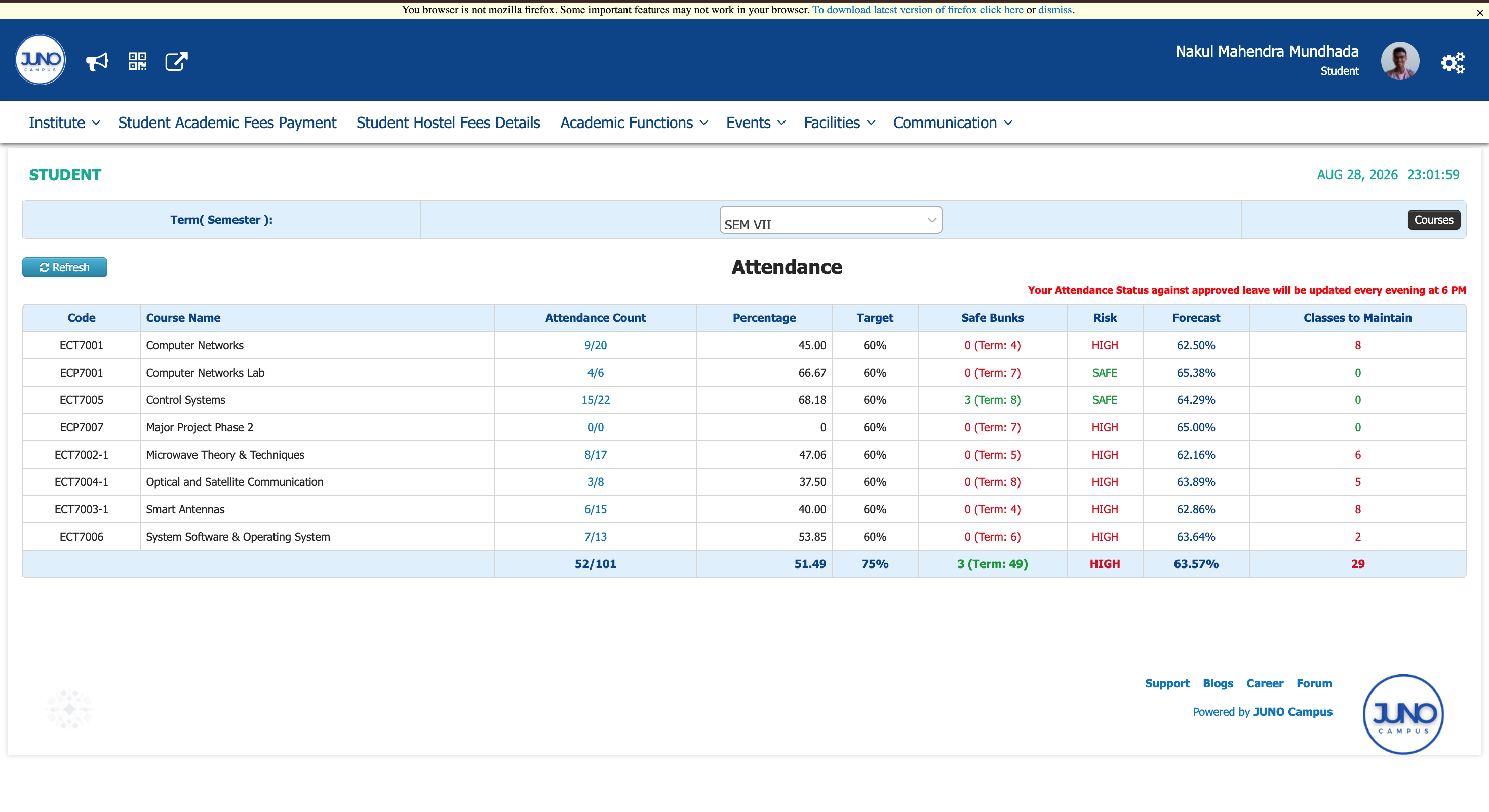
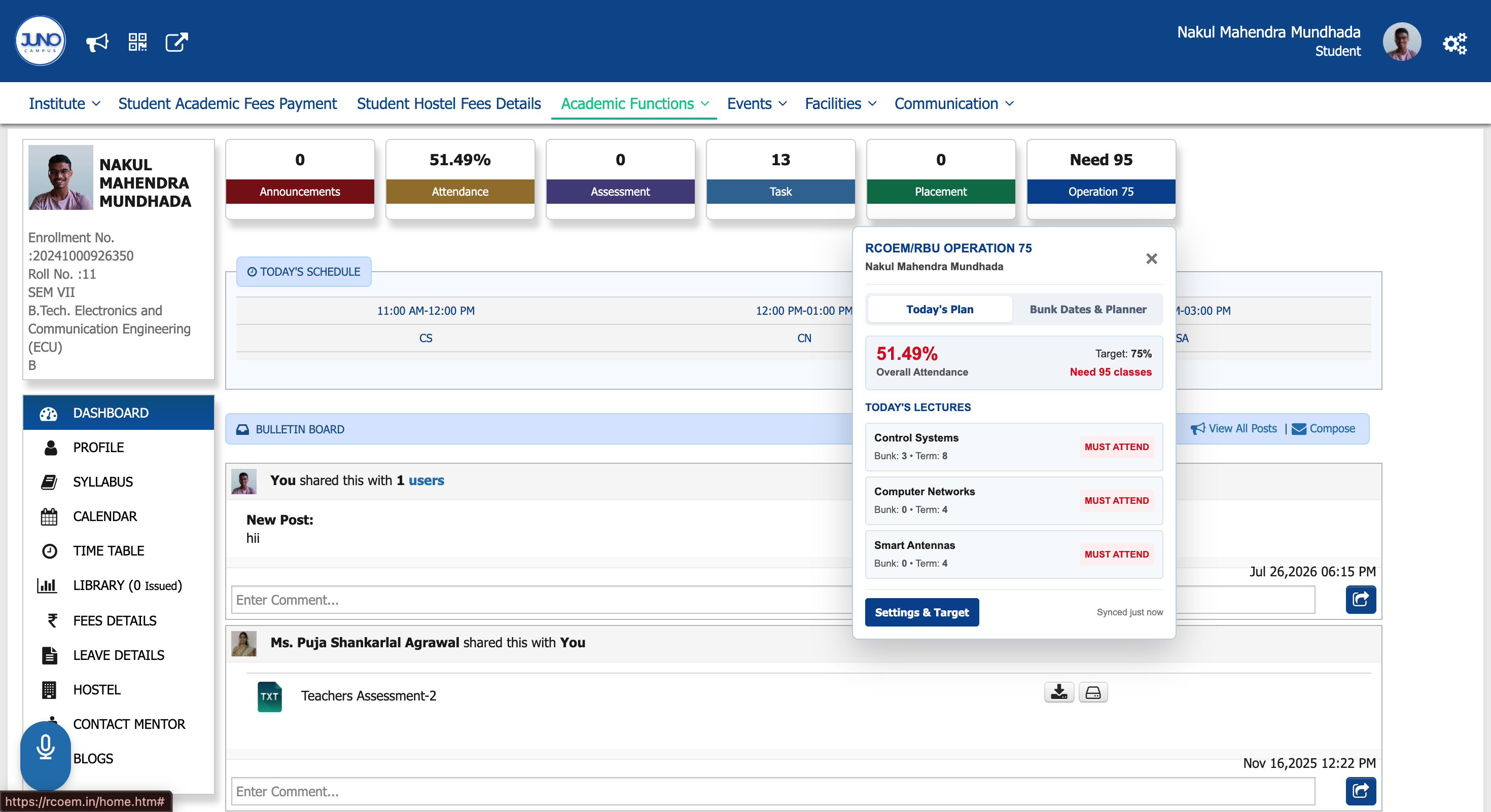
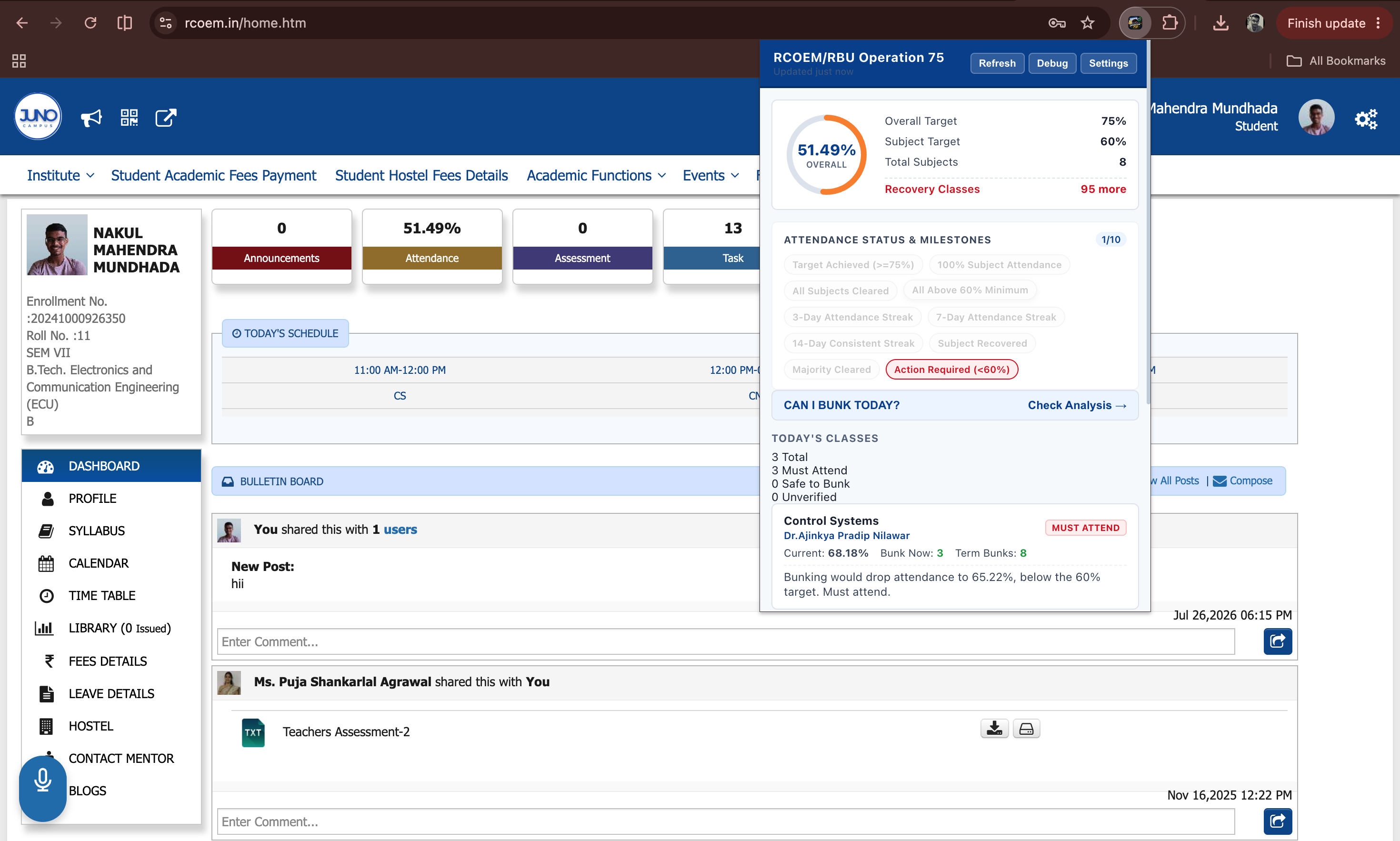
Important Note
Compatibility & Origin Story
Attendance Insights is currently built specifically for students of RCOEM and RBU.
It is designed and tested to work with the Juno RCOEM ERP Portal and may not function correctly with other college portals.
I originally built this system for myself to make managing my attendance easier — especially calculating which classes I could miss, how much attendance I would lose, and how I could recover it.
While building it, I realised that I’m probably not the only student dealing with this every week.
So instead of keeping it just for myself, I decided to make it completely free and available to other RCOEM & RBU students who face the same problem.
How to Install
Step-by-step setup guide to load the extension in Google Chrome.
Download the Extension
Download the ZIP file from the button below and extract it on your computer.
Open Chrome Extensions
In Google Chrome, open:
Then enable Developer mode from the top-right corner.
Load the Extension
Click Load unpacked and select the extracted extension folder.
The RCOEM/RBU Operations 75 extension will be added to Chrome and is ready to use.
Note: This is a developer/unpacked installation, so you need to keep the extracted extension folder on your computer.
Technical Deep Dive
RCOEM/RBU Operations 75 was engineered to solve a widespread student challenge: accurately tracking attendance margins, understanding how many lectures can be safely skipped or must be attended, and avoiding attendance shortfalls before it's too late. Key Engineering Highlights: • Manifest V3 Compliant: Implemented using lightweight background service workers and secure isolated content scripts with low CPU & memory consumption. • Real-Time Bunk & Requirement Calculator: Computes exact numbers of classes you can skip or need to attend to achieve desired thresholds (75%, 80%, 85%) on the fly. • Projection & Simulation Engine: Calculates forecasted final attendance percentages across upcoming semester timelines. • Privacy-First Architecture: 100% client-side computation. Never collects or transmits student credentials, grades, or portal data. • Seamless In-Portal Dashboard Overlay: Injectable modular UI that integrates cleanly into academic portal themes with full Dark Mode support.
Engineering Challenges
- Reliably parsing diverse dynamic table structures across student portals
- Ensuring zero performance impact on heavy portal DOM structures
- Strict adherence to Chrome Web Store security & privacy standards
Achievements & Outcomes
- Developer unpacked Chrome extension ready for distribution
- Adopted by university students for stress-free attendance planning
- Highly responsive, zero-latency calculation engine
Technology Stack
Key Innovations
- Real-time attendance calculations & bunk margin optimizer
- Strict client-side privacy with zero external tracking
- Seamless in-portal UI overlay with instant response time
- Manifest V3 compliant with background service workers
- Modular calculation, projection, and risk engines